
Connected Digital Consultation Forms

Get the Right Answers Before the Service Begins.

Create the exact consultation, consent and treatment forms your business needs, send the right one automatically when a service is booked and keep every completed record and signature connected to the client in Salon Manager CRM.

See Consultation Forms in Action
Explore the Consultation Journey

Preparation that starts before the client arrives

Move the Consultation Out of the Waiting Area and Into the Client Journey

Salon Manager connects each form directly to the relevant service. Once the appointment is booked, the client receives the right form, completes it online and returns it to the client record before the visit.

Everything needed for a prepared appointment

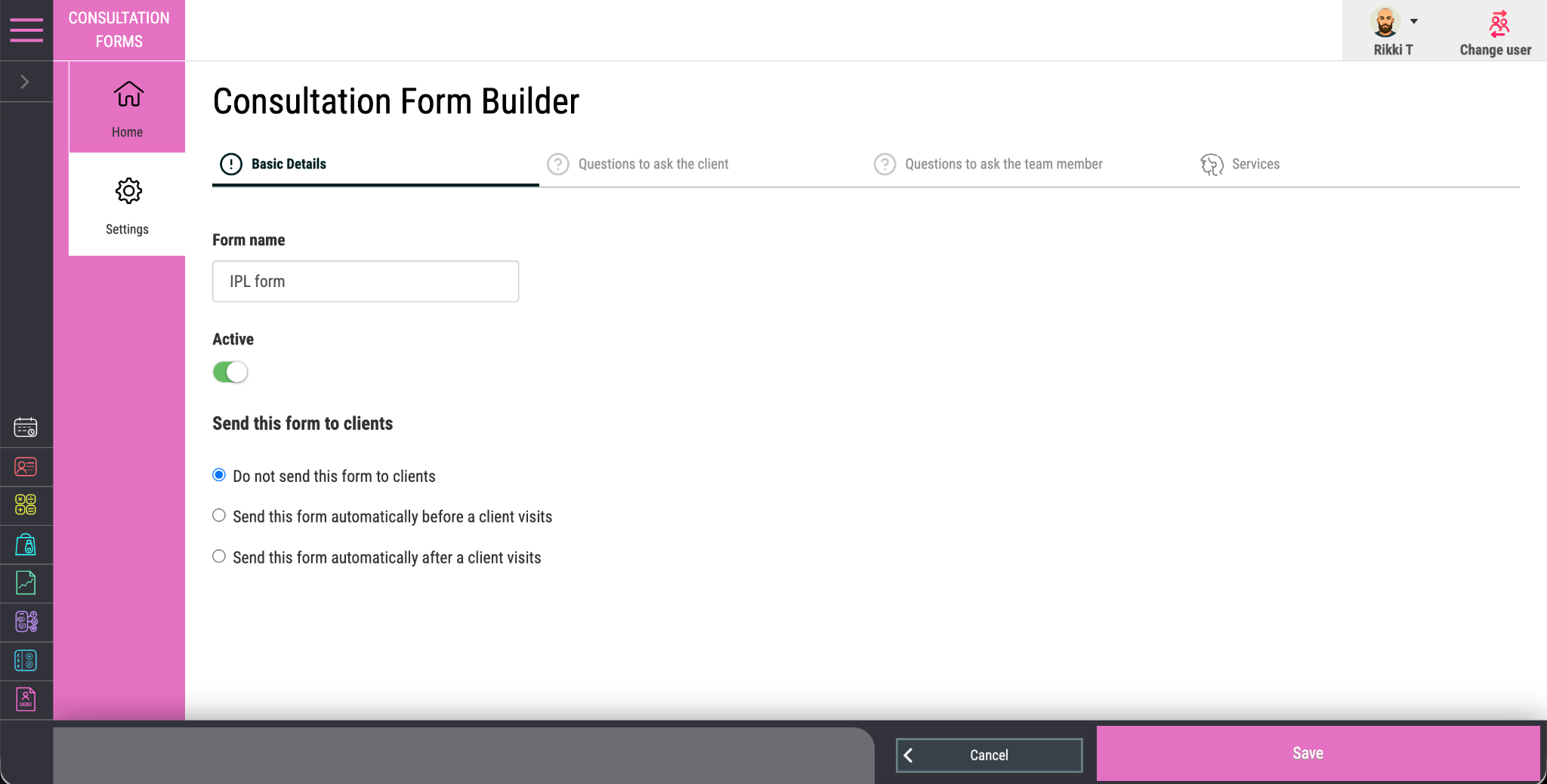
Build the Right Consultation for Every Service

Shape each form around the questions, declarations, signatures and professional checks that matter for the treatment being delivered.

No limit on the forms you need

Create Forms Around the Way You Work

Build unlimited consultation, consent, medical history, preparation and treatment forms around your own services and standards.

The right questions for the right service

Connect Every Form to the Relevant Treatment

Link each form to the appropriate service so every client is asked for the information that matters to that specific appointment.

No manual chasing

Let the Booking Trigger the Consultation

When an assigned service is booked, Salon Manager automatically emails the required form so the consultation can begin before the visit.

Simple on any screen

Make Completion Easy Wherever the Client Is

Clients can review, complete and return the form before their appointment using a phone, tablet, laptop or desktop computer.

More than one form when the service needs it

Bring Consultation, Consent and Preparation Together

Attach multiple forms to one service when consultation, consent, medical history or preparation information needs to be collected separately.

Returned to the right client record

Keep Every Completed Consultation in Context

Completed forms are attached automatically to the client record, keeping answers, signatures and consultation history easy to review.

From appointment trigger to completed record

One Connected Journey From Booking to Signed Consultation

The appointment triggers the form, the client completes it online and Salon Manager returns the finished record to the right client profile.

Step 1

Build the consultation around the service

Create the questions, declarations, guidance and signature requirements appropriate to the service.

Step 2

Connect it to the right appointment type

Link one or more forms to the service or treatment that requires them.

Step 3

The booking starts the process

Once the appointment is made, Salon Manager automatically sends the required form email.

Step 4

The client answers before arriving

The client completes the form online and adds their signature wherever it is required.

Step 5

The completed record returns automatically

Your team is notified and the completed consultation is saved against the correct client record.

Clear acknowledgement from client and professional

Build Client Consent and Professional Review Into the Same Record

Add client signatures, staff-only questions and professional sign-off where needed, then store the completed consultation as one joined-up record against the client.

Client acknowledgement
Ask the client to add their signature online before the form is treated as complete.
Professional checks for the team
Include questions or checks that only the professional delivering the service needs to review.
Final professional sign-off
Ask the team member to confirm the review and sign the record before it is finalised.
One complete consultation record
Keep the client’s answers, signature and professional review together in the same stored record.

Consultation history in the right place

Give the Team the Full Consultation Story Before They Begin

Once completed, the form is attached to the client record in Salon Manager CRM. The team can confirm it has been returned, review the answers and see it alongside the client’s appointment and treatment history.

Completion notification in Salon Manager
Completed form linked to the client record
Client and professional signatures kept together
Multiple forms supported for one service
Consultation history ready for future visits

Flexible enough for every consultation standard

Adapt the Consultation to the Service, Risk and Professional Standard

Create forms around different treatments, contraindications, consent requirements, preparation needs and professional checks.

Hair and colour businesses

Use colour, allergy, patch test and treatment consultation forms tailored to the services being booked.

Beauty and aesthetics businesses

Create consent, medical history, suitability, preparation and aftercare forms.

Spas, clinics and treatment centres

Collect the detailed consultation, treatment and contraindication information each service requires.

Colleges, academies and training salons

Support structured client consultations with professional, staff or student sign-off where required.

Clear answers about digital consultations

What Businesses Ask About Consultation Forms

Practical answers about creating, assigning, completing, signing and storing consultation forms.

How many consultation forms can I create?

You can create unlimited custom consultation forms in Salon Manager, allowing different services and treatment types to use the questions and declarations they require.

Can consultation forms be assigned to specific services?

Yes. Forms can be assigned directly to services so the correct consultation is sent automatically when a client books the relevant appointment.

Can more than one form be assigned to the same service?

Yes. Multiple forms can be attached to one service when separate consultation, consent, medical history or preparation forms are needed.

Can clients complete forms on a mobile phone?

Yes. Clients can complete forms online before their visit using a desktop computer, laptop, tablet or mobile phone.

Can clients sign consultation forms?

Yes. Forms can require the client to add a physical signature online before the consultation is completed.

Can staff review and sign off a form?

Yes. Staff-only questions can be included so the team member can review the information, complete professional checks and sign the form before it is saved.

Where are completed forms stored?

Completed forms are attached to the client record in Salon Manager CRM, and the team receives a notification when the consultation has been returned.

Better prepared appointments from the start

Start Every Service With the Information You Need

See how custom forms, automatic service assignment, online completion, client signatures, professional sign-off and connected CRM storage can simplify the consultation journey.

See Consultation Forms in Action
Explore Connected Client Records
Talk to the UK Team

© 2026 Salon Software Solutions Ltd

Website by Yello