Salon software features that keep everything in sync.
Salon Manager connects salon booking software, salon CRM, consultation forms, POS, stock, marketing and reporting in one online salon management system. Follow clients from appointment to checkout and rebooking. Choose tools around your business, with UK support and unlimited training. More than 15,000 people use Salon Manager.
How do connected salon software features save your team time?
An online salon management system becomes more useful when the diary, client record, checkout and reporting share the same information. Salon Manager software helps your team follow the client journey without re-entering details into separate tools. Start with the features you use every day, then consider online booking, automated marketing and the AI receptionist as your salon develops.
✓ Cloud-based access
✓ UK-based support
✓ Single or multi-location
✓ College workflows
CONNECTED SALON SOFTWARE
What does Salon Manager software include?
Salon Manager brings appointments, client records, consultation forms, checkout, stock and reporting together in one connected salon management software system. Your team can follow the entire client journey without switching between disconnected tools.
Explore how online booking, salon CRM and the AI receptionist support your day-to-day operations, then choose the package that fits your salon.
\n
New from Salon Manager
AI salon receptionist
The Salon Manager AI receptionist is a voice assistant linked to your live appointment diary. It answers incoming calls and helps clients book, check, move or cancel appointments. Use it when your team is busy or the salon is closed.
Answers incoming callsProvides cover during busy periods and outside opening hours.
Recognises returning clientsUses the connected Salon Manager diary to check live availability.
Manages appointment requestsBooks, checks, cancels or moves appointments through a natural phone conversation.
Appointments
Manage appointments, processing time, recurring visits, rooms and resources. Your salon booking software keeps staff availability and waiting lists together. Add online booking, reminders and deposits to suit your setup. Salon rostering software and time-and-attendance tools help track rostered hours, holidays, sickness and lateness.
Online bookingsLet clients book available appointments online 24/7.
Branded client booking appMobile booking presented with your salon’s own identity.
Online deposits or card captureChoose the protection that suits your booking policy.
Waiting listKeep clients on a waiting list and help fill gaps when appointments become available.
Time and attendanceRecord sickness, holidays and rostered hours. Track attendance and lateness across your team.
Keep appointment history, preferences, colour formulas and completed forms in one salon CRM. Notes, purchases, loyalty and communication stay with the same client profile, helping authorised team members prepare for each visit.
Customer timelineSee past visits and bills, future bookings, sent text messages and purchased courses in one chronological view.
Loyalty and rewards programmeGive returning clients another reason to book again.
Course trackingTrack prepaid courses, sessions used and remaining value on the client record.
Reputation managementRequest feedback and help strengthen your online reputation.
Handle services, retail, vouchers and discounts at one checkout. Add tips, deposits and loyalty points, then take card payments. Keep cash-up and reporting connected to each sale. Connected salon POS software keeps salon payment processing and sales records together.
Online voucher salesSell gift vouchers online and collect payment before the recipient visits.
Tip trackingRecord and report tips clearly for each team member.
CommissionsTrack commission earned from services and retail sales.
PayrollReview team pay information and prepare payroll reports.
Use client and appointment information to send confirmations and reminders. Add birthday messages, rebooking prompts and targeted email or SMS campaigns. Salon loyalty programme software, client referrals and salon reputation management support repeat visits and recommendations.
Automated reputation managementRequest feedback and help strengthen your online reputation.
Automated remindersSend timely confirmations, reminders and follow-up messages automatically.
Email & SMS campaignsCreate targeted campaigns using connected client and appointment information.
Client reconnectIdentify clients who have not returned and invite them back.
Client referral systemEncourage clients to recommend your salon and track referrals in one place.
Run multi-site salons with one connected group salon software system. Give each team clear local controls and managers a view of the group. Keep shared client records, bookings and group stock management together. Multi-location salon software gives managers a group view while each location runs its own working day.
Multi-currencyUse the appropriate currency for each salon or location.
Global client databaseShared client records across locations help your team recognise clients and review their history wherever they book.
Group marketingRun targeted campaigns across selected salons or the whole group.
Global stock control for salonsUse group stock management to view quantities and manage product movement between salons.
Team dashboardsGive team members a clear view of their own activity and progress.
Salon manager dashboardReview salon results and see where managers need to focus.
Gift cards for salon chainsManage gift cards across your salon group from one connected system.
Easy appointment booking for salonsCoordinate bookings across locations with full call centre functionality and a salon appointment centre.
One salon. Multiple independent businesses. One connected system.
Make shared salon working simpler for owners and self-employed hairdressers. Manage appointments and checkout together, calculate chair-rental commission splits and direct eligible card takings to the right stylist’s bank account, without separate card readers for every renter.
Split commissionsCalculate how service takings are divided between the salon and each chair renter.
Direct payments to stylistsSend eligible card takings to the appropriate stylist’s linked bank account.
One shared payment setupAvoid extra card readers for each renter where the configured provider supports shared payment routing.
Clear individual takingsMake renter revenue and commission easier to identify and reconcile.
Shared appointment diaryManage self-employed and employed stylists in one connected salon diary.
Payment routing, payout timing, supported terminals and availability depend on your chosen payment provider and configuration.
Manage learners, tutors, rooms and services. Handle public appointments, payments and reporting while authorised staff stay in control.
Classroom support for collegesConnect learners, tutors, rooms and public bookings.
Training rooms and commercial salonsSupport practical learning in training rooms alongside the college’s commercial salon. Manage learners, tutors, rooms and public appointments within the same college environment.
Your package and optional services affect which features you can use. Some tools need suitable hardware or a payment setup. We will confirm what is included and what you can add during your demo.
Salon Manager software is provided by Salon Software Solutions Limited in the UK. These examples show how bookings, client care and checkout use the same records, reducing repeated entry as each visit moves through the salon.
Salon Manager feature and workflow examples
Salon task
Connected tools
What your team can do
Appointments
Salon booking software, live diary and reminders
Manage appointments with staff and room availability in one place.
Client care
Salon CRM and digital consultation forms
Review client history and completed forms before each visit.
Checkout and stock
POS, payments and stock control
Keep sales linked to client records and stock activity.
Business decisions
Reporting and analytics
Review bookings, revenue and team results.
Feature availability depends on your package and setup. On smaller screens, swipe across the table.
Trusted by salon professionals
Why do salon teams choose Salon Manager?
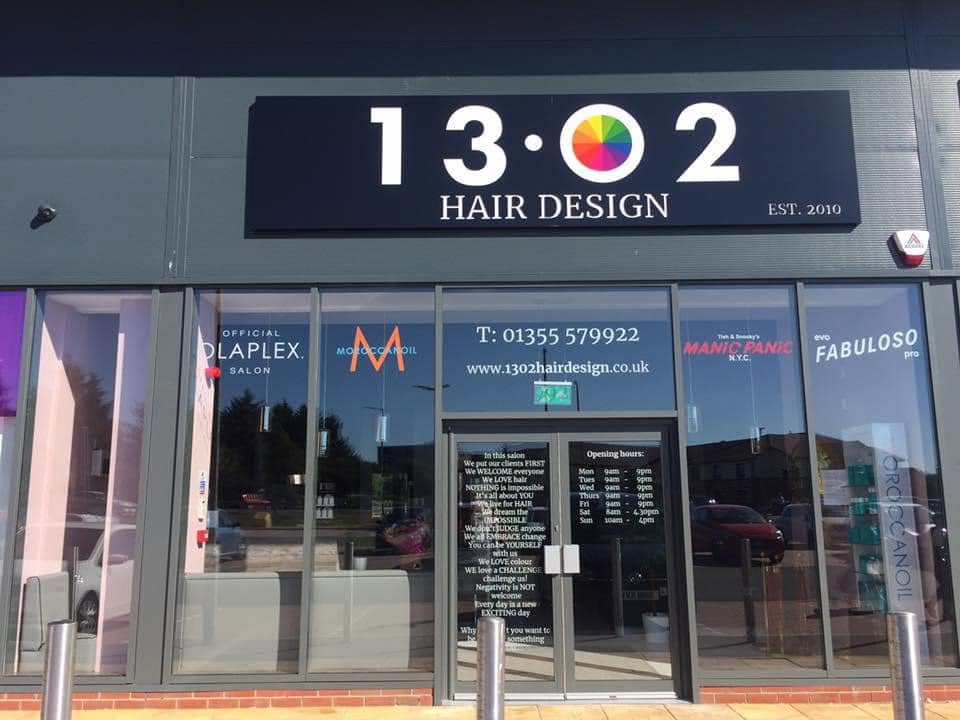
See how one salon uses Salon Manager to keep its diary organised. The team can find back-office information quickly and keep daily tasks moving.
Customer story
1302 Hair Design
Why does 1302 Hair Design use Salon Manager?
1302 Hair DesignSalon Manager customer
What difference has Salon Manager made to the day-to-day running of your business?
“It has improved efficiency and professionalism, given us much better diary management and, overall, made operations a lot easier.”
What do you and your team value most?
“The smooth running of the diary and having back-office information at the click of a mouse.”
What would you say to another salon?
“It is without doubt the best-value service we pay for each month. We couldn’t run as efficiently without it, and I’d highly recommend Salon Manager to any other business. Just as importantly, the team at the other end of the phone are a genuine pleasure to deal with. Nothing is ever a problem, and they resolve any issues very quickly.”
Source: 1302 Hair Design customer interview supplied to Salon Manager, 2026.
At a glance
Which salon software features work together in Salon Manager?
Your salon software system uses the same client, appointment and transaction data. This online salon management software keeps your daily tools connected. A booking stays linked to the client record, consultation, checkout and stock movement. The same data supports marketing follow-up and your business report. Your team avoids entering the same details again.
1One connected platform for diary, CRM, POS, stock and reporting.
2Unlimited devices are included with every package.
3UK onboarding, support and unlimited training are included.
How it works
How do you choose the salon software features you need?
Start with the tasks that matter most to your clients and team. Then compare the features and package options.
1
Which salon tasks do you want to improve?
List what you want to improve in your diary, client care and payments. Add any stock, marketing or reporting needs.
2
Which features fit the way your team works?
Check how each Salon Manager feature fits the way your team works.
3
Which package includes the tools you need?
Compare the packages. Use your demo to check the tools, setup and costs.
Frequently asked questions
What do salons ask about Salon Manager features?
What should the best salon software include?
The best salon software fits the services you deliver and the way your team works. Test a complete visit: booking, client consultation, checkout and rebooking. Check waiting lists, room availability, staff permissions and reporting. Review package inclusions and optional extras, then ask about migration, training and ongoing customer care. Use our salon software comparison to explore differences between providers.
Does Salon Manager include online booking and reminders?
Online booking is included from Premium and is available as an optional extra with Essentials. Online salon booking software uses your configured availability. SMS reminder tools are included, with message usage charged separately. Email reminders are optional in Essentials and Premium, and included in Premium Plus and Enterprise. Deposits require a suitable payment setup.
Are POS and payments connected to the appointment diary?
Yes. Your salon till links each sale to the appointment and client record. Handle services, retail, vouchers, deposits and discounts together. Add tips and loyalty points, then take payments.
Can Salon Manager manage stock and reporting?
Yes. Set minimum and maximum levels, use purchase ordering and carry out mobile stock checking. Reporting covers bookings, revenue, clients, teams and stock. Export reports to PDF, Excel and CSV.
Is the platform suitable for colleges and multi-location groups?
Yes. Colleges can manage learners, tutors, rooms and public appointments. Multi-location groups can share client records. They also have tools for multi-currency, group marketing and group stock management.
Are all features included in every package?
No. Feature availability depends on your package and optional services. Use the package comparison to see what is included and what you can add.
Does Salon Manager offer an AI receptionist?
Yes. The voice assistant can identify the caller and check real-time availability. It helps with appointment requests when your team is busy or after opening hours. See how call handling works.
Can the demonstration focus on the features my team needs?
Yes. Tell us about your business and the tasks you want to improve. We can focus on diary, client, checkout, stock or reporting tools. We can also show college and multi-location features.
A demonstration shaped around your business
How could the right features simplify your working day?
Tell us which tasks take too much time or cause problems. We will show you the features that can help. Get clear answers about setup, what is included and costs.